Dev Autographs
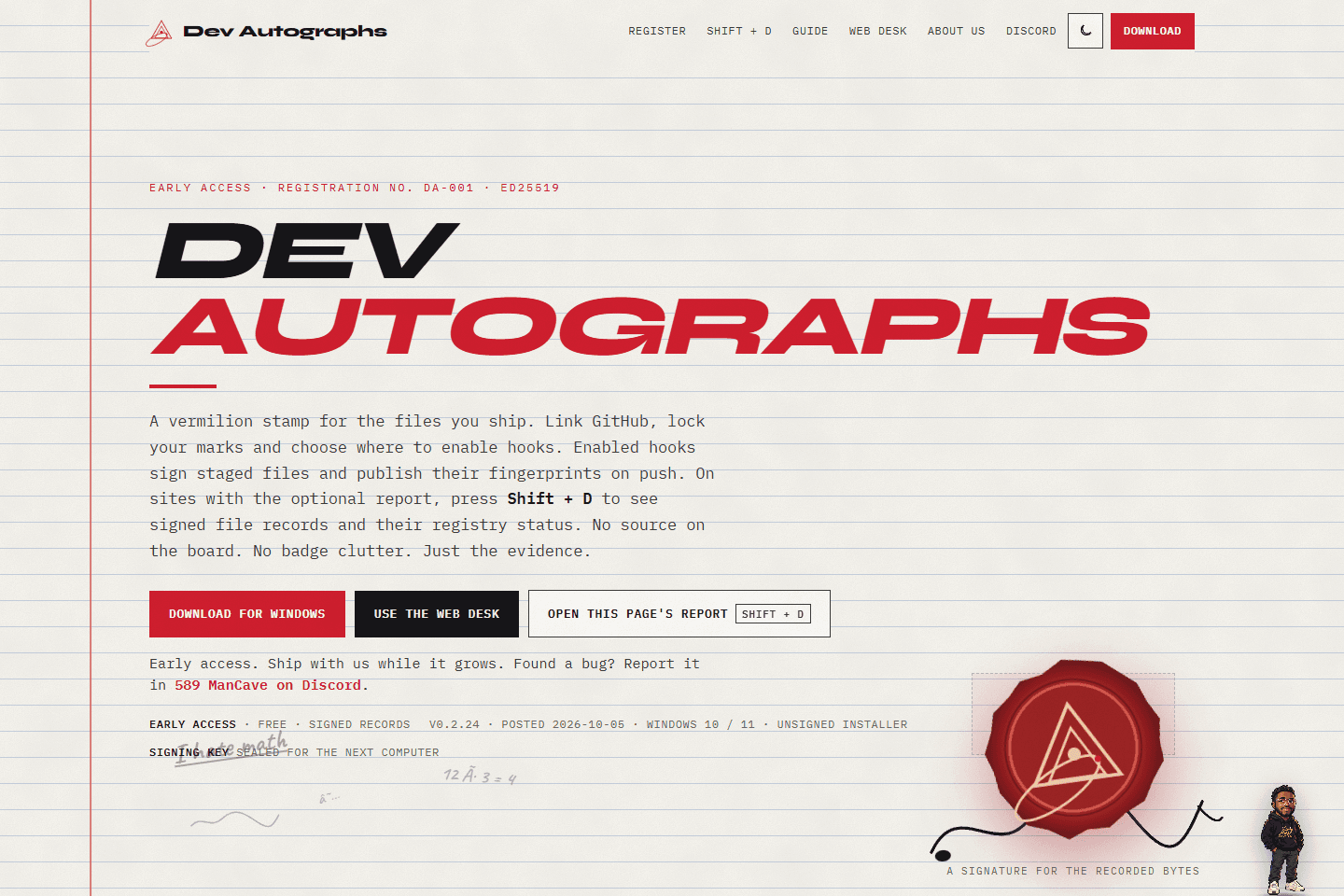
I built a developer signing workflow that connects local Git commits to public provenance reports, with desktop tools and a browser interface for inspecting the records.
The problem I worked on
Software travels. A file moves, a project is forked, and the people behind it become harder to see. I built Dev Autographs to give shipped code a readable connection to its signers, right where someone encounters the finished product.
The implementation had to fit the commits developers already make while keeping private source files out of the public registry. I paired that workflow with a readable report so someone can inspect a signed record and understand what it establishes.
This project is part of my work at Axiom Risk Group.
What I built
Separate attribution records
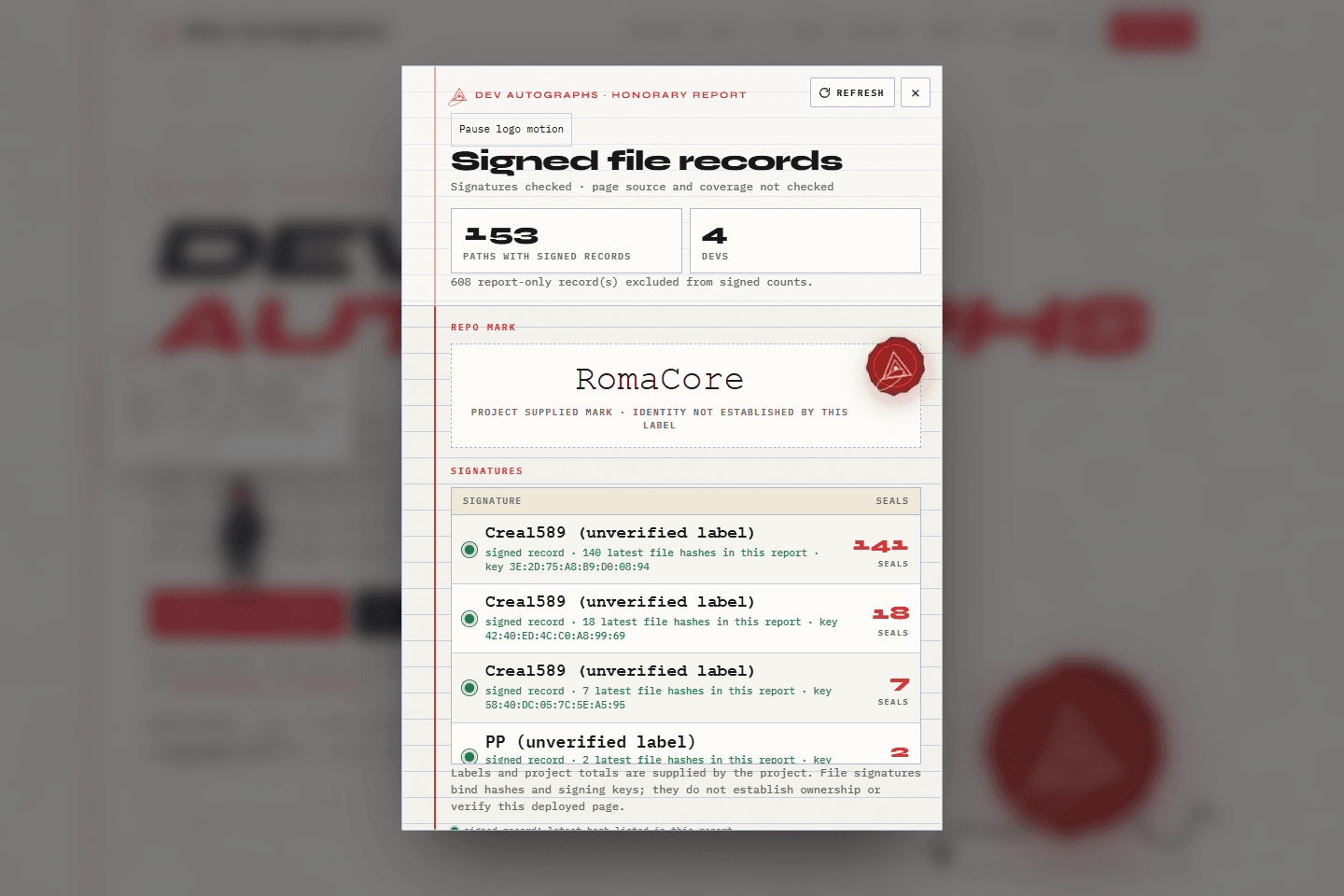
I kept file signers and repository owner marks distinct. A code mark identifies a file’s signer; a separate repo mark records the owner’s autograph, allowing multiple contributing signers.
Git hook integration
I connected identity setup to a pre-commit signing step and pre-push publication. The registry receives fingerprints rather than source files, keeping the public record separate from the developer’s code.
Public report interface
I built an honor board, opened with Shift + D, that presents signed file records and keys from a published report. It does not display source code or inspect the deployed page’s current files.
Desktop and browser setup
I packaged the CLI and hook setup in the Windows app. The web desk creates an identity in the browser and provides setup scripts for using it with local commits on Windows, macOS, and Linux.
The engineering
I connected the local workflow to the public report using Ed25519 signatures and SHA-256 content fingerprints. A signature establishes which key signed a record; the hash identifies the file content it describes. The report checks signatures against recorded fingerprints. Checking a live site’s current contents remains a separate step.
Signing identities are created locally. Browser users can export theirs for the CLI, while account history follows their GitHub identity when they switch devices. One device holds the active signer seat at a time.
The numbers need a clear meaning: the board counts reported paths with signed records. Those counts do not measure hours spent, code quality, or someone’s total contribution to a project.
The tech stack
| Technology | What it does |
|---|---|
| JavaScript and CSS | Browser modules power the web desk, signature lookup, verifier, and responsive paper-and-ink interface. |
| Tauri | Packages the Windows desk, with an NSIS installer that includes the command line tools and Git hook setup. |
| Node.js and Git hooks | The CLI seals supported source files before a commit and publishes their fingerprints before a push. |
| Ed25519 and SHA-256 | Digital signatures connect records to signing keys; content hashes identify the file content those records describe. |
| Web Crypto | Generates the web desk’s signing identity in the browser. Optional setup scripts transfer that identity to local Git hooks. |
| Vercel and Railway | Vercel serves the website. The Railway registry connects account identities, autograph marks, and published seal records. |
See the signatures
The product site carries its own working report. Open it with Shift + D or the report button, then explore the web desk. A separate public verifier accepts provenance JSON and checks its Ed25519 attestation signature. Windows releases and the CLI are available through the installer repository.
Hiring for developer tools or application engineering?
I’d welcome a conversation about your team. This project gives us concrete ground to discuss Git integration, desktop packaging, and communicating the limits of a verification system.